Comprehensive Photography Management Tool

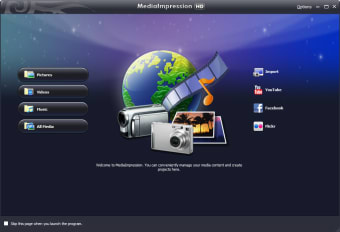
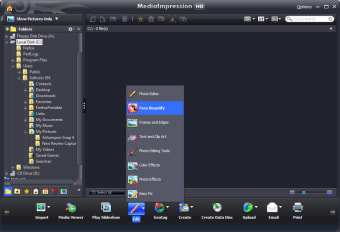
ArcSoft MediaImpression is a trial version multimedia application designed for Windows, offering users a robust platform for managing and organizing their photography collections. This software allows users to import, edit, and share images efficiently, making it a valuable tool for both amateur and professional photographers alike. Key features include album creation, photo editing tools, and various sharing options that enhance the overall user experience.

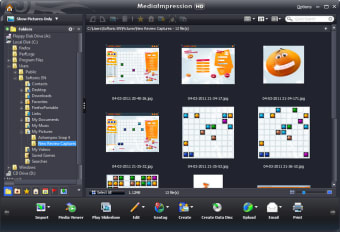
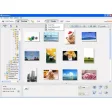
The application supports a wide range of image formats and provides intuitive navigation for easy access to photos. Users can apply filters, adjust settings, and organize their images into albums, allowing for streamlined management of large photo libraries. With its user-friendly interface and essential editing capabilities, ArcSoft MediaImpression stands out as a practical choice for anyone looking to enhance their photography workflow.

 0/6

App specs

  • License

    Trial version

  • Version

    3.5.255.985

  • Latest update

  • Platform

    Windows

  • OS

    Windows XP

  • Language

    English

    Available languages

    • Czech
    • German
    • English
    • Spanish
    • French
    • Italian
    • Japanese
    • Korean
    • Dutch
    • Portuguese
    • Russian
    • Swedish
    • Chinese
  • Downloads

    113.1K

    Last month's downloads

    • 258
  • Size

    107.18 MB

  • Developer

Program available in other languages


User reviews about ArcSoft MediaImpression

3.3

5 reviews

Add review

Main reviews for you

  • Anonymous user

    Seems good, till it decides to screw ya. Got this with my webcam...worked fine and did what I needed it to until just recently...Then suddenly, it removed the ability to capture the webcam from its' self and uninstalling, reinstalling, repairing, nothing freaking fixes it. I even system restored and it didn't fix it. This is not a good program, avoid at all costs. Pros: It captured stereo soundCaptured HD web cam footage Cons: It stopped capturing webcam and sound, option removed its' self from menu.Very clunky.

  • Anonymous user

    Can Be Better. this program work really good for my cam and window 7. without it, my computer will tell me i am missing file. but there some disappointing side of views. due to free program, it "will not do HD". when i go do mud bog. i want it to be HD. but it have it good side i do love. like it so easy to get photo from any video. so in long run. i can live with that. Pros: *Easy to use*get photo from video and do slow mode Cons: *dont do HD

  • Anonymous user

    Big mistake. Someone told me it would work with a camera i've got... No! on top of that, it eats memory, harddrive space and processor power, even when your not using it!?! do not download, you have been warned!!! Pros: None Cons: It's one big con

  • Anonymous user

    Agree - arcsoft not good at all. Unstable, crashes spontaneously, freezes up and must be 'forced quit' on my Mac, tried on my Windows machine and it would freeze up straightaway - never even got to scan a picture. Probably the worst media package I have ever seen.

  • Anonymous user

    Arksoft Bad. Arksoft bad... up date bad Kodak BadMOV badmultiple problems with cameraCalled support and they are bad too

More

You may also like

Alternatives to ArcSoft MediaImpression

Explore Apps

Latest articles

Laws concerning the use of this software vary from country to country. We do not encourage or condone the use of this program if it is in violation of these laws.